
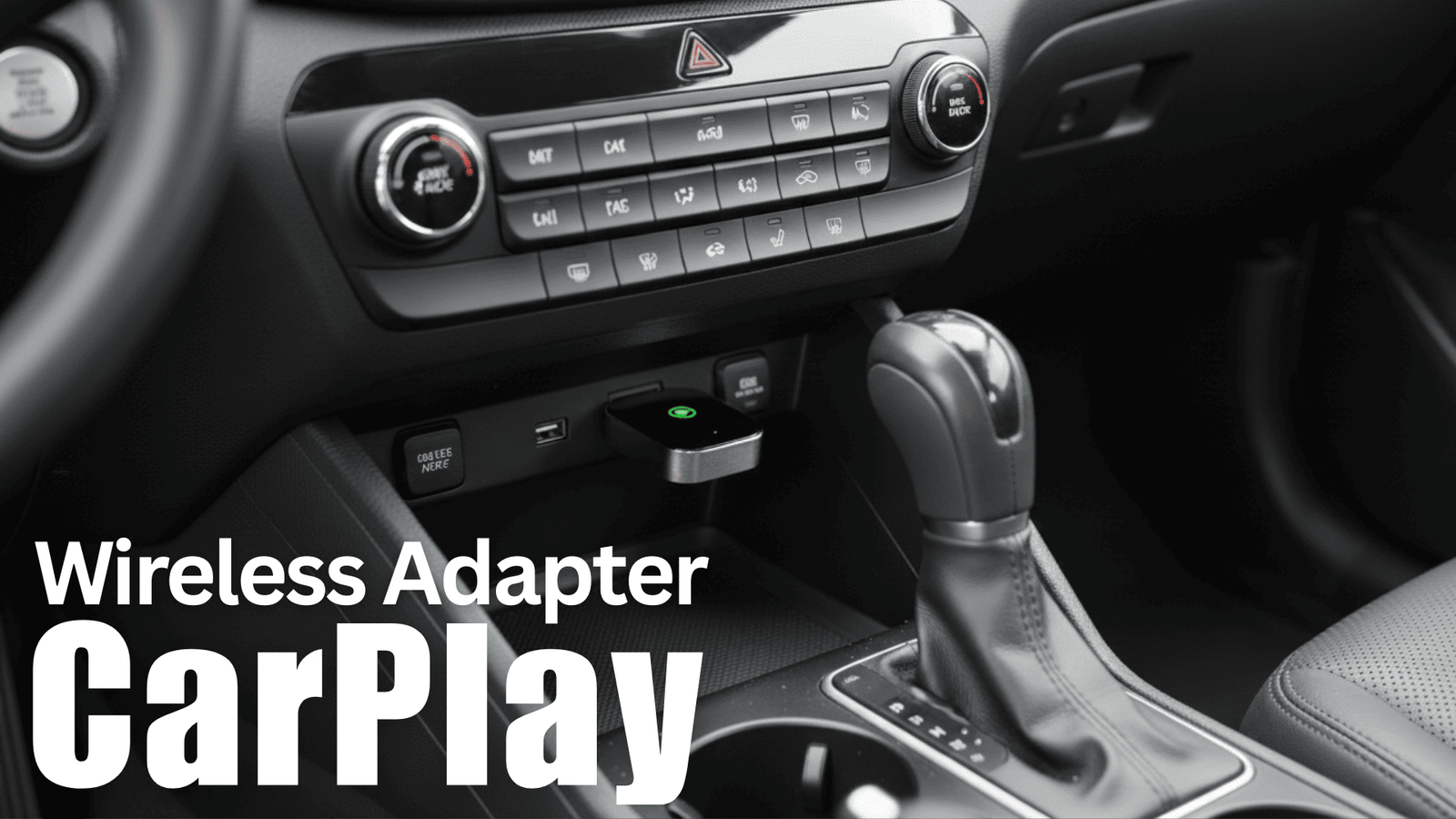
Older cars age in funny ways. The seats develop character, the suspension stiffens with wisdom… but the tech? That part ages like milk. There’s a moment every owner of an older car faces: you’re sitting in traffic, juggling a Lightning cable that’s seen better days, wondering why your car still demands a leash to talk to your iPhone. Wireless CarPlay solved that problem years ago… if you bought a newer car.
But what if you didn’t?
Fortunately, turning wired CarPlay into wireless CarPlay is one of the simplest upgrades you can make — no tools, no coding, no tearing apart the dashboard. Just plug in a small adapter, wait a few seconds, and your infotainment system suddenly behaves like a 2025 model.
Before you modernize your cockpit, you may also want to look at our guide on the most reliable used cars — a must-read if you’re trying to keep an older daily driver on the road.
Now let’s get into the adapters that are actually worth your time.
Top Wireless CarPlay Adapters
| Rank | Product | Notes |
|---|---|---|
| ⭐ Top Pick | OttoCast U2-AIR | Fastest pairing, top reliability |
| Best Value | Carlinkit 4.0 CarPlay | CarPlay-only version; strong US support |
| Best 2-in-1 | Carlinkit CP2A | Works with iPhone + Android |
| Budget Pick | Teeran 2in1 | Cheap and dependable |
| Most Compact | AutoSky USB | Super stable & highly rated |
| Simple & Reliable | Jemluse Adapter | “Set it and forget it” option |
If you’re also refreshing the interior, you’ll like our roundup of the best trunk organizers — another high-value upgrade for older vehicles.
How We Picked
You need an adapter that fits your daily driving habits. We prioritized: connection stability (fewer dropouts), boot time (how fast CarPlay appears after you start the car), latency/input lag (important for maps and touch control), compatibility (iPhone and Android support and wide vehicle coverage), ease of setup and daily use, firmware update path and manufacturer support, physical size and cable options, and price/value. Each pick balances those factors differently so you can pick the one that matches your priorities.
1. OTTOCAST U2-AIR — Still the Most Polished Wireless CarPlay Adapter
Best overall

Some products just get it right. The OTTOCAST U2-AIR has been the gold standard for years, and nothing in 2025 has dethroned it.
Pairing takes under 10 seconds. Navigation feels smooth. Music changes instantly. Even in hot climates — Texas, Arizona, Gulf countries — it refuses to overheat.
If you’re upgrading an older daily driver, pair this with our Pre-Purchase Inspection Checklist so you don’t miss potential electrical issues.
If you want to ditch the cable but keep your factory CarPlay, this little OTTOCAST U2-AIR is exactly the kind of plug-and-play fix you’ll appreciate. You plug it into a USB port and it turns your wired CarPlay into a wireless connection that usually wakes up fast and stays usable; setup is simple and the dongle is small enough to tuck out of sight.
It’s handy for everyday commuting when you just want your maps and music ready the second you start the car, and equally useful for longer road trips where you don’t want to fumble with cords. If your car already supports wired CarPlay, this is a low-effort way to get wireless without swapping the head unit, and I’d recommend it as an affordable, practical upgrade for most drivers.
What People Say
Most customers say the U2‑AIR makes wireless CarPlay feel effortless — praise centers on fast connection times, reliable performance in many cars, and how small it is. People also mention how easy the initial setup is and appreciate the included cables. A minority report vehicle‑specific quirks or occasional reconnect issues, so some users recommend checking compatibility first.
Versatility
Works with most cars that have factory wired CarPlay and supports a variety of iPhones, plus it comes with two cable types so you can hook it up regardless of your port.
Key Benefits
- Quick startup so CarPlay is ready soon after you start the car
- Compact plug-and-play design keeps things tidy
- Generally stable connections with minimal audio lag
- Includes both USB‑A to C and USB‑C to C cables for flexible hookups
Pros
- Fastest reconnection in the class
- Extremely low lag
- Great build quality
- Reliable OTA updates
Cons
- Slightly more expensive than generic brands
2. CarlinKit 4.0 Wireless CarPlay Adapter (CarPlay Only)
Best Value for iPhone User

A clean, stable, no-nonsense option for drivers who only care about Apple CarPlay. If you need a secure place to mount that iPhone you’re no longer plugging in, check our guide on Magnetic Phone Mounts for Thick Cases — one of the most-read accessory guides on TopCarList.
If your car has wired CarPlay but you keep an Android phone in your pocket (or you just want wireless convenience), this little dongle makes the swap painless. You plug it into the USB port and it can trick the factory system into running wireless CarPlay or wireless Android Auto, and it remembers multiple devices so you don’t have to fuss with pairing every time.
It’s handy for daily driving—maps and music come up without grabbing a cable—and great for longer trips when you want fewer cords and easier sharing between phones. Do check compatibility for your exact make and model, but if it matches your car it’s a simple, cost‑effective way to add wireless functionality.
What People Say
People generally like how the CarlinKit 4.0 brings wireless convenience to cars that only have wired CarPlay, and many praise the easy setup and automatic reconnect feature. Users point out the multi‑device memory and support for Android Auto as big wins.
At the same time, reviewers commonly mention occasional reconnect glitches, mixed call/audio quality, and a few vehicle‑specific compatibility quirks—so it’s a practical solution that benefits most but isn’t flawless for every car.
Versatility
Supports iPhones (iPhone 6 and newer) for wireless CarPlay and Android phones (Android 11+) for wireless Android Auto. It’s designed to work with many OEM wired CarPlay systems and includes both USB‑A and USB‑C cable options for flexible hookups.
Key Benefits
- Converts wired CarPlay to wireless CarPlay or wireless Android Auto
- Dual‑band Wi‑Fi and claimed low latency for smoother media and navigation
- Stores up to five devices and auto‑connects for quick, hands‑free use
- Plug‑and‑play setup with included USB cables keeps installation simple
- Works with a wide range of factory CarPlay systems so you avoid a full head‑unit replacement
Pros
- Fast pairing
- Smooth animations
- Better heat resistance than older versions
Cons
- iPhone only (no Android Auto)
3. CarlinKit 4.0 (2-in-1) Wireless CarPlay & Android Auto Adapter
Best for households with both iPhone + Android

This is the upgraded 2-in-1 model. If you share the car with someone who uses Android, this is easily the best pick.
If you’re tired of plugging in every time you jump in the car, this CarlinKit dongle is a tidy way to make a factory wired CarPlay system act like a wireless one. You plug it into the car’s CarPlay USB, pair your phone once, and it usually reconnects automatically so maps, music and calls are ready when you start driving.
It also aims to support wireless Android Auto on compatible phones, includes OTA updates for occasional fixes, and keeps the whole setup compact so your center console stays uncluttered. There are some car‑specific quirks and the update flow isn’t perfect, but if your car already has wired CarPlay and you want less cable fuss on daily drives or longer trips, it’s a practical, affordable fix.
What People Say
Most users like how easy it is to set up and that it brings wireless Android Auto to cars that only had wired CarPlay. People frequently mention steady audio and navigation performance, the compact design, and the convenience of auto‑reconnect. Common cautions are occasional disconnects, some head‑unit compatibility oddities, and a firmware/update process that can be fiddly for some setups.
Versatility
This adapter is geared to cars that already have factory wired CarPlay — it won’t add CarPlay where none exists. It often works with Android phones to provide wireless Android Auto if the phone and head unit support it, and the multi‑device memory is handy in mixed households.
Keep in mind some car models (notably certain BMW and Tesla setups and a few specific OEM radios) are listed as incompatible, and the built‑in USB lead is short if you want to tuck the dongle completely out of sight.
Key Benefits
- Converts factory wired CarPlay to wireless with a simple plug‑in setup
- Supports wireless Android Auto on compatible phones, adding flexibility
- 5 GHz Wi‑Fi plus Bluetooth helps keep navigation and streaming responsive
- Over‑the‑air firmware updates let you get fixes without extra tools
- Saves up to 5 devices for quick handoffs between drivers
Pros
- Dual compatibility
- Reliable firmware updates
- Great for family/shared cars
Cons
- Slightly slower boot-up than OTTOCAST
4. Teeran Wireless CarPlay Adapter
Best Under $60
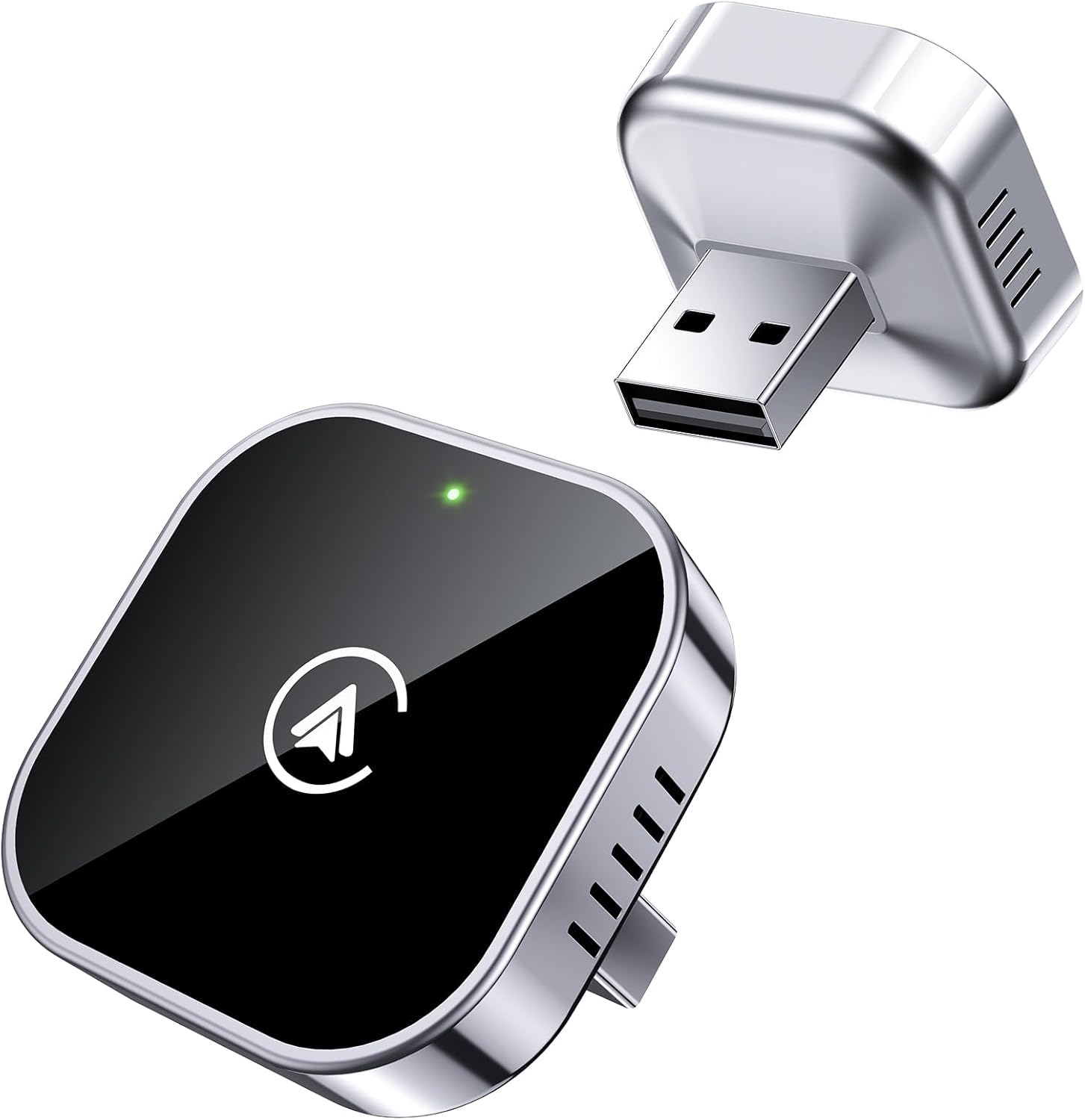
Teeran is the best bang-for-buck option for older Toyotas, Hondas, Mazdas, and compact SUVs. If you’re refreshing the interior at the same time, our Best Seat Gap Fillers for Leather Seats article pairs perfectly with this upgrade.
If your car already has wired CarPlay or Android Auto and you’re tired of plugging in every time, this little Teeran dongle makes life easier. You just plug it into the USB port, pair once, and most of the time your phone reconnects automatically when you start the car, so maps, music and calls come up without fiddling with cables. It’s handy for daily commutes where you want a no‑fuss setup, and it’s equally nice on weekend road trips or when friends and family swap phones — the adapter handles both iPhones and many Android phones. It won’t replace a full head‑unit upgrade, but for adding wireless convenience to a factory system it’s a simple, budget‑friendly option worth considering.
What People Say
Most users praise how easy the Teeran adapter is to set up and how reliably it reconnects after that initial pairing. Reviewers frequently call out the small, unobtrusive design and steady streaming for maps and music, and they appreciate that it supports both Apple CarPlay and Android Auto.
A few people do mention car‑specific quirks or occasional reconnect delays and note that it can draw power if the car keeps the USB port active when off.
Versatility
Works with iPhones (iPhone 6 and later) for wireless CarPlay and many Android phones (Android 11+) for wireless Android Auto. The package includes USB‑A and USB‑C extension cables to fit hidden or awkward ports, and it’s designed to work with a wide range of OEM wired CarPlay/Android Auto systems.
Key Benefits
- Turns wired CarPlay/Android Auto into wireless with plug‑and‑play setup
- Fast auto‑reconnect so your phone links up quickly when you start the car
- Dual‑band Wi‑Fi and Bluetooth for smoother maps, music and voice calls
- Ultra‑compact metal design that sits flush and frees your dash from cables
- Includes USB‑A and USB‑C cables for flexible installation in most vehicles
Pros
- Affordable
- Compact
- Surprisingly stable
Cons
- Reconnection can take 1–2 seconds longer than premium models
5. AutoSky Wireless CarPlay Adapter

AutoSky is the adapter that keeps popping up in real-world user reviews as “boringly reliable.” Not the flashiest, but extremely dependable on long commutes and road trips.
Great for people who want something they never have to touch again.
If you’re fed up with plugging your phone into the dash every time you drive, this little AutoSky dongle is one of the simplest ways to go wireless. You plug it into a factory CarPlay USB port, pair your phone once, and most of the time it reconnects automatically when you start the car so navigation, music and calls come up without hunting for cables.
It’s compact enough to sit flush in a port or use the supplied USB‑A/USB‑C extensions if your socket is hard to reach, and the 5 GHz radio aims to keep maps and streaming steady. It won’t magically add CarPlay if your vehicle doesn’t already support wired CarPlay, and a few users note occasional head‑unit quirks or update steps, but if you want an affordable, low‑fuss way to ditch the cord for daily drives or weekend trips, it’s worth considering.
What People Say
People commonly highlight how easy the adapter is to set up and how compact it is — many like that it behaves like a tiny USB stick and frees the dash from cables. Reviewers often mention steady navigation and music streaming thanks to the 5 GHz connection and appreciate the included USB‑A and USB‑C leads. At the same time, a number of users report car‑specific quirks: some needed extra steps to update firmware, a few experienced audio or pairing oddities with multiple phones, and a minority ran into compatibility or connection failures that required troubleshooting.
Versatility
Designed to work with vehicles that already have wired CarPlay, the adapter supports a wide range of OEM systems and ships with both USB‑A and USB‑C extensions to fit awkward ports. It comes in a few finishes so it doesn’t look out of place in most interiors.
Note that aftermarket head units and some specific models may be incompatible, so check compatibility or be prepared to test before committing.
Key Benefits
- Converts factory wired CarPlay to wireless with plug‑and‑play setup
- 5 GHz module for improved connection stability and lower latency
- Auto‑reconnect so your phone typically links up as soon as you start the car
- Includes USB‑A and USB‑C extension cables for flexible port placement
- Compact, thumb‑drive form that sits flush and keeps the dash tidy
Pros
- Very stable
- Good heat resistance
- Clean, compact design
Cons
- No Android Auto
6. Jemluse Wireless CarPlay Adapter
Simple & Reliable

This one is for the “I don’t care about specs — I just want it to work” crowd. Simple, stable, and gets the job done.
If you’re tired of fishing for a cable every time you drive, this little Jemluse dongle is an easy way to go wireless without swapping your head unit. You plug it into your car’s wired CarPlay USB port, pair your iPhone once, and most of the time it reconnects automatically so maps, music and calls appear without fuss.
The aluminum shell keeps it compact and tidy, and the combo of Bluetooth and a 5.8 GHz Wi‑Fi radio aims to keep streaming and navigation responsive. It won’t add CarPlay to cars that don’t already have a wired system, and a few users mention cordless placement or rare head‑unit quirks—but for everyday driving and weekend trips it makes life noticeably simpler.
What People Say
You’ll notice reviewers mostly praise how simple it is to set up and how reliably it reconnects—many say it behaves like a tiny USB stick that just works. People also appreciate the compact metal build and steady audio/navigation performance. Common caveats include the short USB lead in some setups and occasional car‑specific quirks or slight delays with certain head units, so it’s smart to check compatibility first.
Versatility
This adapter is built specifically for vehicles that already have wired Apple CarPlay, and it generally works across many OEM systems. A number of users also report success with Android Auto setups, so it can be flexible if you switch phones.
It comes in a small, metal package and a few color options so it won’t look out of place, but keep in mind the built‑in USB lead is fairly short—if you want to hide the dongle you may need an extension cable.
Key Benefits
- Turns factory wired CarPlay into wireless with plug‑and‑play setup
- 5.8 GHz Wi‑Fi plus Bluetooth for steadier streaming and navigation
- Auto‑reconnect so your phone usually links up when you start the car
- Compact aluminum design keeps the dash clean and resists heat
- Supports multiple users so different drivers can pair their phones
Pros
- Easy to install
- Fast reconnection
- Clean design
Cons
- Lacks the advanced settings of higher-end models
Ratings
| Model | Latency | CarPlay / Android Auto | Best For |
|---|---|---|---|
| OttoCast U2 | ⭐⭐⭐⭐⭐ | CarPlay | Best overall |
| Carlinkit 4.0 | ⭐⭐⭐⭐ | CarPlay | Best value |
| Carlinkit CP2A | ⭐⭐⭐⭐ | Both | Mixed devices |
| Teeran 2in1 | ⭐⭐⭐⭐ | CarPlay | Budget |
| AutoSky USB | ⭐⭐⭐⭐ | CarPlay | Long-term reliability |
| Jemluse Adapter | ⭐⭐⭐⭐ | CarPlay | Simplicity |
What Actually Matters When Choosing an Adapter
Here’s what to keep in mind when picking the right CarPlay adapter for you. And if you’re unsure if it’s even worth upgrading an older car, take a look at our Most Underrated Cars — there’s still a bunch of hidden gems out there on the road.
- Latency: it’s all about the gap between being usable and just plain annoying
- Heat tolerance: really important when it’s super hot outside
- Reconnection speed: how quickly it gets back online
- OTA updates: those over-the-air updates that keep things fresh
If you’re sticking with your car and giving it a little upgrade instead of hunting for a new ride and it’s got over 150,000 miles on it, check out our High-Mileage Maintenance Guide for some handy tips.
FAQ
How Do I Choose The Right Wireless CarPlay Adapter For My Car?
Start by making sure your car has wired CarPlay support and your phone runs iOS 10 or later; many adapters only convert an existing wired CarPlay port rather than adding CarPlay to a car that never supported it. Check the connector type (USB‑A vs USB‑C), the adapter’s stated compatible model years, and whether the maker provides ongoing firmware updates. Prioritize adapters with 5 GHz Wi‑Fi, fast auto‑reconnect, and multi‑user support if you frequently switch phones.
You can expect reliable options in the $34.99–$45.99 range: models like OTTOCAST ($39.80), Teeran ($39.99), Jemluse ($39.99) and CarlinKit ($45.35) are common picks; compare stability, update policy, and return support before you buy.
Will A Wireless Adapter Affect Audio, Navigation, Or Phone Call Quality?
Wireless CarPlay can introduce a slight, usually sub‑second delay compared with a wired connection, which is normal for wireless streaming and control; audio fidelity and navigation data are typically the same in everyday use. Call quality sometimes routes differently (Bluetooth vs CarPlay audio) and can vary by head unit and adapter, so if calls are mission‑critical you may prefer plugging in.
Many users report rock‑solid music and maps once paired, but be prepared for occasional disconnects after phone or head‑unit updates; keeping adapter firmware and your phone OS current minimizes problems.
How Do I Set Up And Troubleshoot Common Connection Issues?
The usual setup is plug the adapter into your CarPlay USB port, pair it via Bluetooth once and allow the adapter’s Wi‑Fi connection; after that it should auto‑connect when you start the car. If you run into trouble, restart your phone and head unit, try a different USB port or cable, disable the car’s native Bluetooth if it competes with the adapter, and make sure your phone isn’t auto‑joining your home Wi‑Fi while in range.
For firmware updates use a powered USB port or a computer if the head unit cuts power during installs and consider removing old paired devices if multiple phones confuse the adapter; if problems persist contact the manufacturer for a firmware fix or replacement.
Does this work if my car doesn’t already have wired CarPlay?
No. You’ll need factory CarPlay for these to work.
Not sure what your car came with? Run through our Pre-Purchase Inspection Checklist.
Will wireless drain my battery faster?
A bit, yes. Bluetooth + Wi-Fi always pull more power than wired.
Is wireless slower than wired?
Premium options like OTTOCAST and Ottoadapter come surprisingly close.
Final Verdict
your driving experience easier and safer. If you’re after something that you can count on every day, go for the Jemluse adapter since it’s known for its great stability.
If you’re looking for the best bang for your buck, the Teeran 2in1 is super convenient with its plug-and-play setup and it works for both CarPlay and Android Auto. If you want something that starts up quickly and reconnects easily, OttoCast is a solid option. For those who need Android Auto specifically, the Carlinkit versions are what you want. And if you’re after something compact and affordable, AutoSky is the way to go. No matter what you end up picking, a wireless adapter can really give a boost to an older car infotainment system and help you stay focused on the road while your phone is safely stowed away.
Pair this small tech upgrade with inexpensive fixes — like seat gap fillers or car covers for all-weather protection — and any older car instantly feels less “last decade” and more “new again.”
| Product | Image | Rating | Price | Weight | Compatibility | Special Highlights |
|---|---|---|---|---|---|---|
| OTTOCAST Wireless CarPlay Adapter 2023 |
 |
3.8/5 (2,851 reviews) | 39.80 | 4.6 ounces | Designed for OEM Wired CarPlay Cars (2016-2022) and iOS 10 or later |
|
| CarlinKit 4.0 Wireless CarPlay 2024 |
 |
3.9/5 (91 reviews) | 45.35 | 4.8 ounces | Compatible with iPhone 6 or newer (iOS 10+) and Android devices (Android 11+) |
|
| Teeran 2 in 1 Wireless CarPlay and Android Auto Adapter |
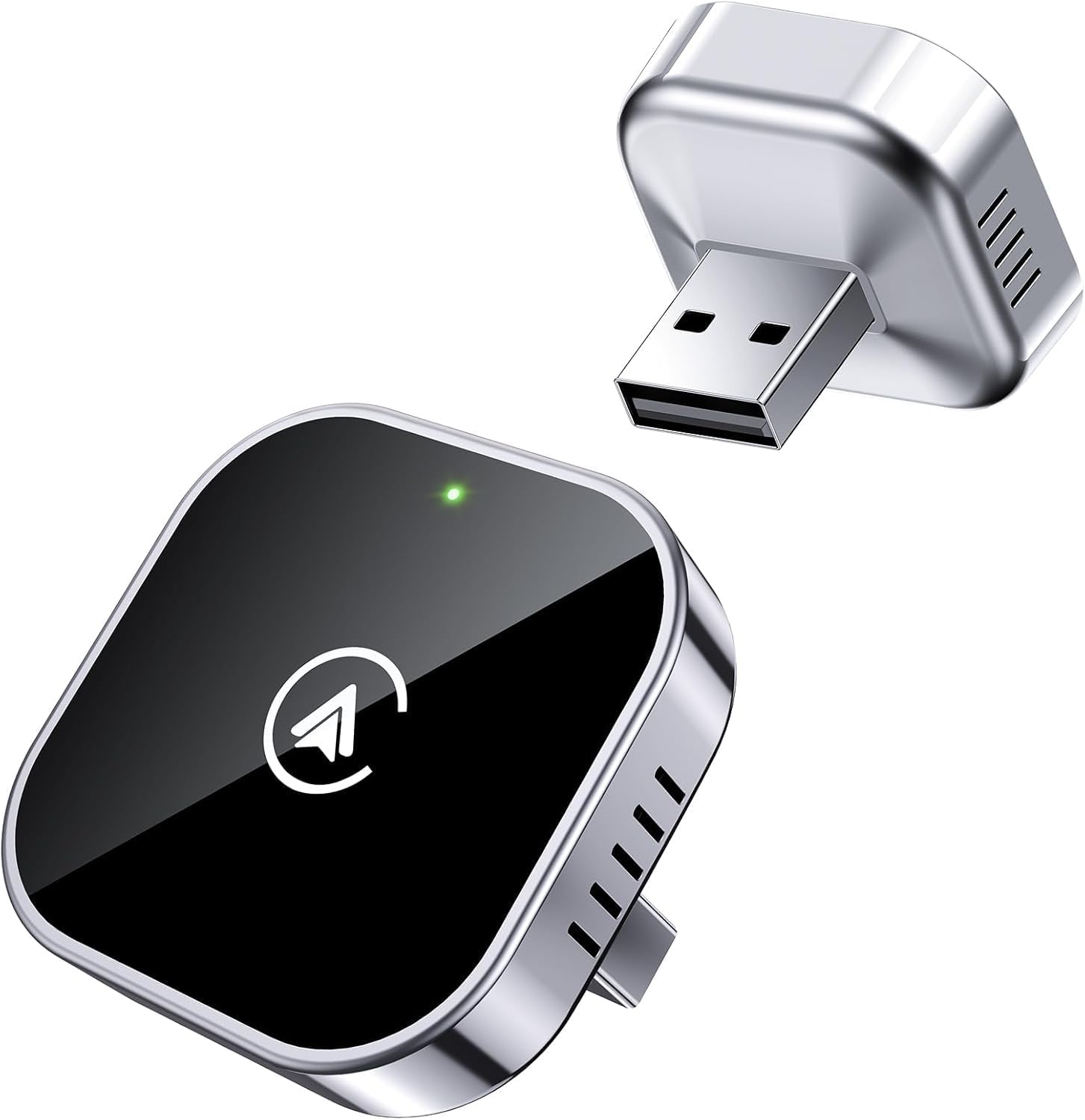 |
4.2/5 (1,342 reviews) | 39.99 | 2.39 ounces | Works with 1000+ Cars equipped with Wired CarPlay/Android Auto |
|
| AutoSky Wireless CarPlay Adapter |
 |
3.8/5 (2,413 reviews) | 34.99 | 2.08 ounces | Compatible with vehicles that have Wired CarPlay |
|
| Jemluse Wireless CarPlay Adapter |
 |
4.4/5 (6,582 reviews) | 39.99 | 0.8 ounces | Compatible with iOS 10+ devices |
|
| CarlinKit 4.0 CarPlay Wireless Adapter |
 |
3.7/5 (110 reviews) | $ | 4.6 ounces | Supports vehicles with OEM Wired CarPlay |
|
- Best Car Interior Cleaning Kits: Make Your Cabin Look New
- Which XV70 Camry Year Should You Buy? A Tested Guide
- Magnetic Phone Mounts & Mounts for Thick Cases: That Actually Work!
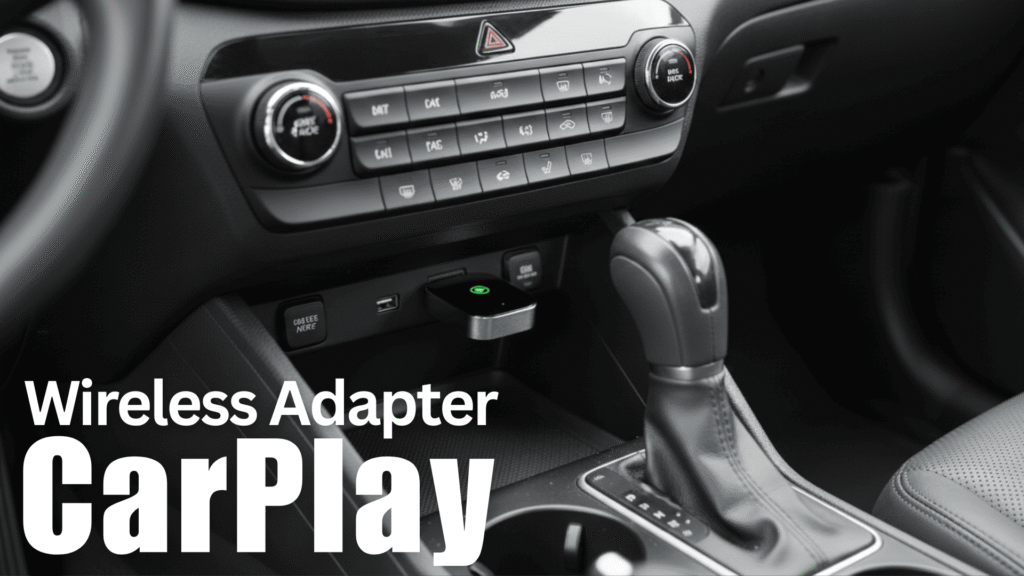
- Best Wireless CarPlay Adapters for Older Cars
- Best Seat Gap Fillers for Leather Seats
- The Most Underrated Cars — Hidden Gems You Should Actually Consider

*Disclaimer: This website provides automotive content for informational purposes only and should not be considered professional advice. While we strive for accuracy, we do not guarantee the reliability or suitability of any vehicle or product mentioned—always conduct your own research before making purchasing decisions. Additionally, some links on this site are affiliate links, meaning we may earn a commission if you make a purchase, at no extra cost to you.
**When you click on links we might get a small commission on purchases that qualify.